
Do You Actually Need an Anti-Theft Passport Holder?
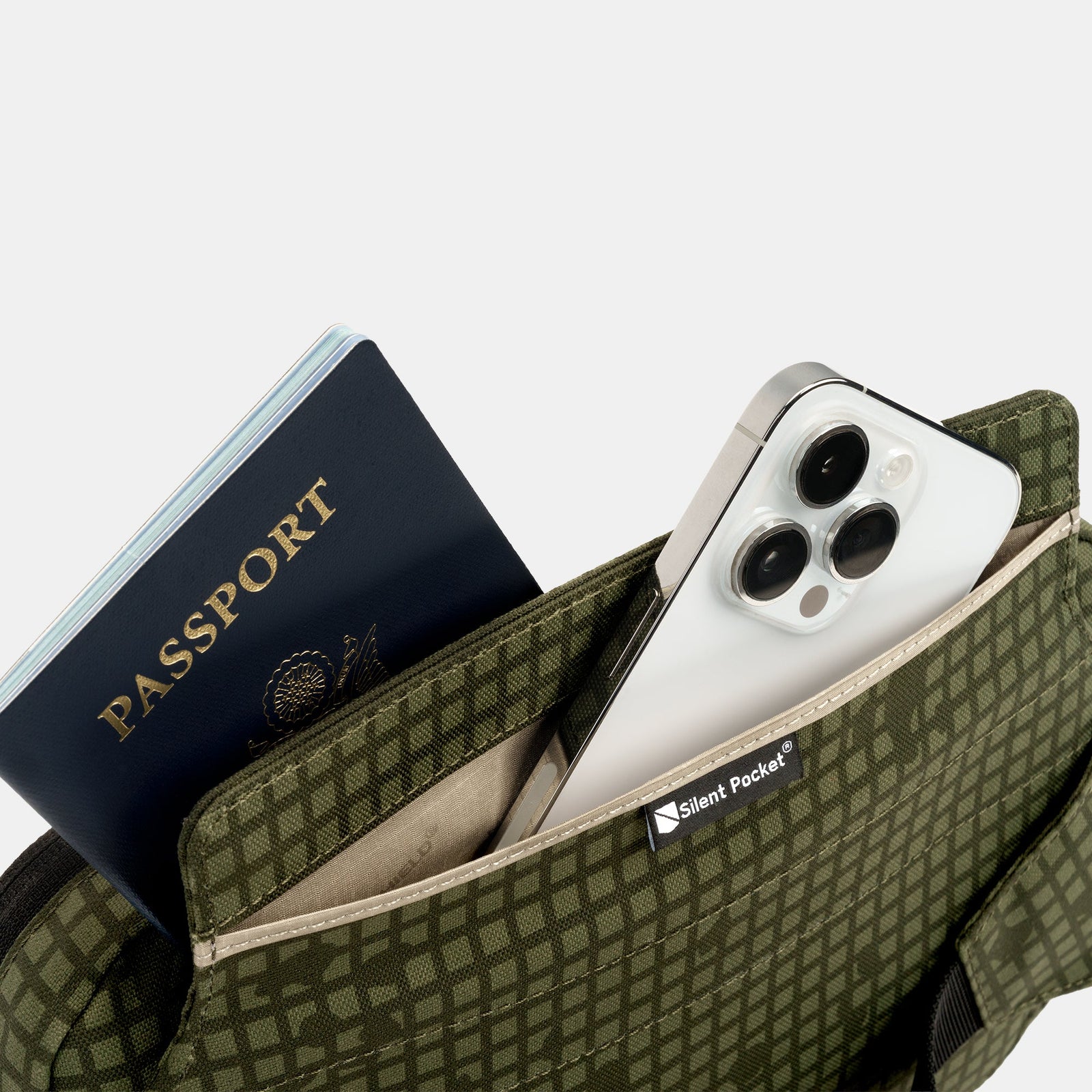

Every travel blog tells you to buy one. Almost none of them tell you what's actually inside your passport, or what's already protecting it before you spend a dollar.
So let's answer the question straight, not sell you the fear first.
What's Actually Inside a Modern Passport
Most passports issued in the last two decades carry an embedded RFID chip. It stores your photo, name, and other biographic data, and it's read wirelessly by official scanners at border checkpoints. That much is true, and it's the part every anti-theft ad leans on.
Here's what those ads usually leave out. Modern e-passports use a protocol called Basic Access Control. In plain terms, the chip won't talk to a reader until that reader has physically scanned the printed text on your passport's data page. A closed passport in a bag, on its own, isn't handing its chip data to anyone walking by. Many passport covers are also lined with a light metallic layer specifically to add a baseline shield when the booklet is closed.
So the blind, walk-by skimming scenario that sells a lot of passport wallets is, for a properly issued modern e-passport, already a fairly narrow risk. That's not spin. It's how the standard was designed.
Where the Real Gap Actually Is
None of that means the question is settled. It just means the honest answer is more specific than "buy this or get skimmed."
The real gap shows up in what travels alongside your passport, not the passport chip itself. National ID cards, some transit passes, older or non-compliant passport designs, and contactless payment cards you're carrying in the same pouch generally don't have anything like Basic Access Control. Those chips will respond to a reader with no extra step required. If your travel document holder puts your passport, ID card, and a credit card in the same slot, the passport is likely the safest item in there and the rest aren't.
There's also a practical gap around wear. A passport cover's shielding layer isn't infinite. Years of folding, water exposure, or a replacement passport from a country with lighter standards can leave that baseline protection thinner than you'd assume.
The Solution: One Shielded System, Not a Single Product Decision
This is where Faraday protection actually earns its place, not as a fix for a threat that's mostly already handled, but as a single, hardware-level layer that covers everything in your travel documents at once. Instead of asking whether each individual card or passport needs its own protection, a shielded travel organizer makes the question irrelevant. Everything inside is blocked, full stop, regardless of what standard any individual chip does or doesn't meet.
That's a physical answer, not a software one. There's no app checking which of your cards has RFID protection built in and which doesn't. The shielding does that job uniformly.
Where This Shows Up on an Actual Trip
Carrying your passport with other ID. If your passport shares a pouch with a national ID card or driver's license, a Faraday travel organizer shields the whole stack instead of relying on the passport's own built-in protection to cover documents that don't have it.
Layovers and transit through dense terminals. Airports concentrate a lot of readers, official and otherwise, in a small space. Keeping your full document set shielded until you're actually at a counter removes the guesswork.
Older or well-worn passports. If your passport has been through a few renewal cycles or shows real wear on the cover, don't assume the built-in shielding is still doing its full job. AFaraday-lined wallet adds a fresh layer that doesn't degrade the way a laminated cover can.
Family travel with multiple passports. Consolidating several family members' passports and ID cards into one shielded case is simpler than assessing each individual document's protection standard on the fly.
Combining travel documents with cards and a phone. Many travelers keep boarding passes, transit cards, and a phone in the same bag as their passport. A single shielded organizer covers the whole set instead of treating each item as a separate decision.
None of this requires overhauling how you pack. It's one pouch doing a job that used to depend on trusting a dozen different chips to behave the same way.
One Thing This Doesn't Do
If a phone is stored alongside your documents in a shielded organizer, it's worth knowing that Faraday shielding blocks wireless signal only. It does not disable a device's built-in microphone, which is separate hardware and stays functional regardless of signal blocking.
It's also worth staying precise about what a passport holder like this actually does. It blocks RFID and other wireless signals to the items inside it. It doesn't make your documents theft-proof in every sense, and it isn't a claim that anything sealed inside becomes untraceable. It solves the signal exposure problem, cleanly and specifically.
Why It Matters
The honest version of this answer isn't as dramatic as most passport-holder marketing, and that's the point. You don't need to believe every device around you is actively under attack to still want one system that removes the guesswork. Knowing your entire document set is shielded, rather than hoping each card's chip happens to be compliant, is its own kind of quiet control.
SLNT's Faraday-lined travel gear is built on patented shielding technology, independently tested to exceed MIL-STD-188-125-2. For more on how Basic Access Control actually protects e-passport chips, Wikipedia's overview of the standard lays out the technical detail plainly.
Close It Out
You don't need to buy into a worst-case story to want your travel documents handled the same way, every time, without checking which chip is protected and which isn't. That's not fear. That's just fewer decisions to make at a border crossing.
Take a look at SLNT's Faraday travel organizers and wallets and see if your current setup is doing that job, or just assuming it is.