
Instagram is sharing your exact location and here is how to stop it
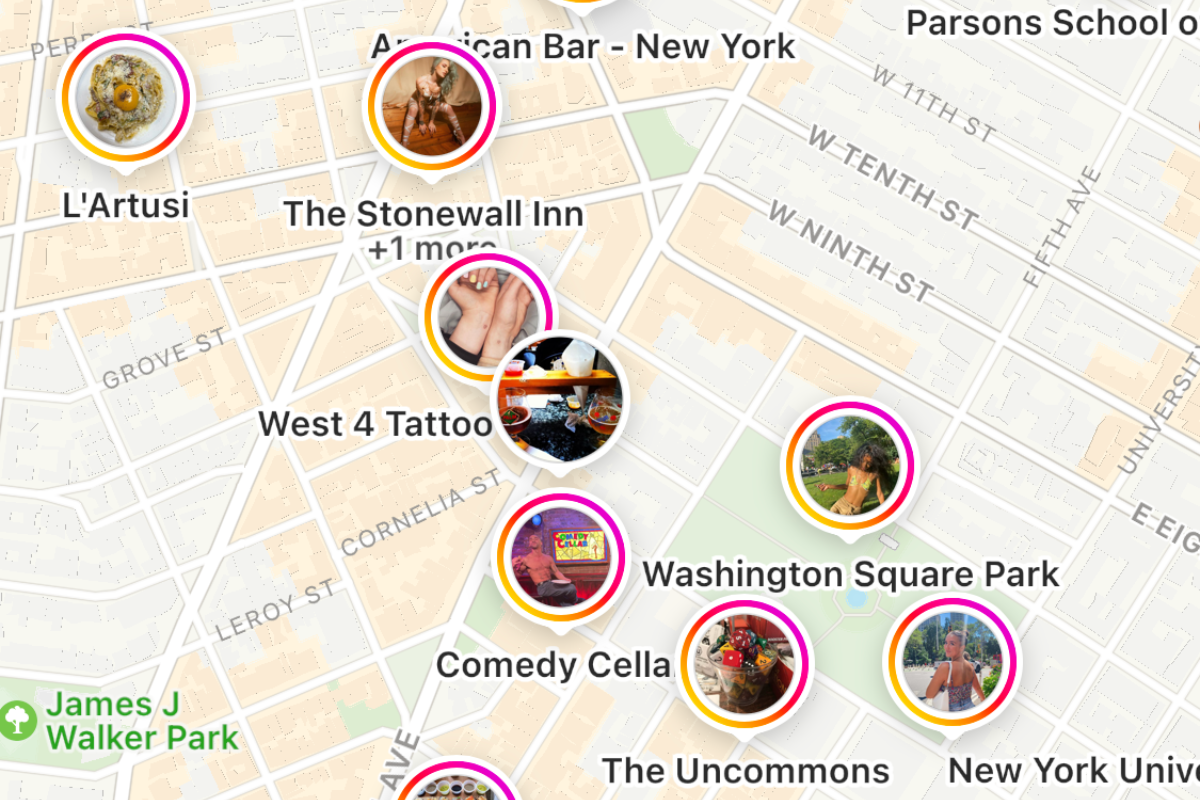

Instagram can use your phone's location when you grant the app permission. You can control whether Instagram has access to your precise location, and you can separately choose whether to share your location with friends through Instagram Map, where available. Here's how to review both settings.
Location permissions and posting a location tag are not the same thing. Allowing Instagram to access your device's location does not automatically publish your exact location to everyone. Instagram also offers business-account analytics, but those insights do not mean that the precise location of every visitor is publicly shared.

Location Permission Options
On iPhone, Instagram's location access can be set to Never, Ask Next Time Or When I Share, or While Using the App, depending on the permissions available. If location access is enabled, turning off Precise Location lets the app receive an approximate location instead of your precise position. Selecting a location tag when publishing a post or story is a separate action.
To manage the information Instagram receives, review its permission in your phone's settings. For the strongest restriction, select Never; if you still want location-based features, consider turning off Precise Location.
How to Turn Off Precise Location for Instagram on iPhone
These are the current iPhone menu paths. The screenshots below illustrate the process but may show an older iOS interface.
STEP 1 - Open Settings
Open Settings on your iPhone.

STEP 2 - Go to Privacy & Security > Location Services
In Settings, tap Privacy & Security, then Location Services.

STEP 3 - Select Instagram
With Location Services enabled, scroll down and tap Instagram. Choose whether to allow location access. Select Never if you do not want Instagram to use the phone's location.

STEP 4 - Turn Off Precise Location
If you allow Instagram some location access, turn Precise Location off to share only your approximate location with the app. If you selected Never, Instagram already has no location permission through Location Services.

For updated steps, see Apple's guide to Location Services.
How to Turn Off Instagram Location Access on Android
On Android, open Settings > Apps > Instagram > Permissions > Location. Select Don't allow to prevent Instagram from accessing your device's location. If you allow access, supported Android versions let you turn off Use precise location so the app gets an approximate location instead. Menu names can vary by manufacturer and Android version. See Android's official location-permissions guide.
How to Turn Off Location Sharing on Instagram Map
Instagram Map is an optional feature for sharing your last active location with selected friends. Location sharing is off by default, and the feature may not be available in every country. To check it, open Instagram's Messages (DMs), tap Map if it appears, open the map's Settings, and choose No one for location sharing. Follow any on-screen confirmation to save the selection. If the Map option does not appear, it may not be available for your account or region.
Even when location sharing is off, content you post with a location tag may still appear on the map. Review location tags separately before posting. Learn more in Meta's introduction to Instagram Map.
Privacy controls are useful across many apps, not just Instagram. Review permissions periodically, avoid tagging sensitive places while you are there, and decide when location-based features are worth using.
At SLNT®, we recommend limiting location access to apps that need it. If you want to mention a place in a post, you can do so without providing the app with continuous precise-location access.
A fully closed SLNT® Faraday bag for phone is designed to isolate the device from wireless connections while it remains sealed. That also means you will not receive calls, messages or location updates through those connections until you remove it. A Faraday bag does not change what you have already shared online.